Whilst other tools can provide an overview of your Wi-Fi, Protocol Analysis provides the detail about what is happening, and whilst some Wi-Fi tools can also capture Wi-Fi messages, they are limited to how many channels they can capture simultaneously and they may only capture part of the messages.
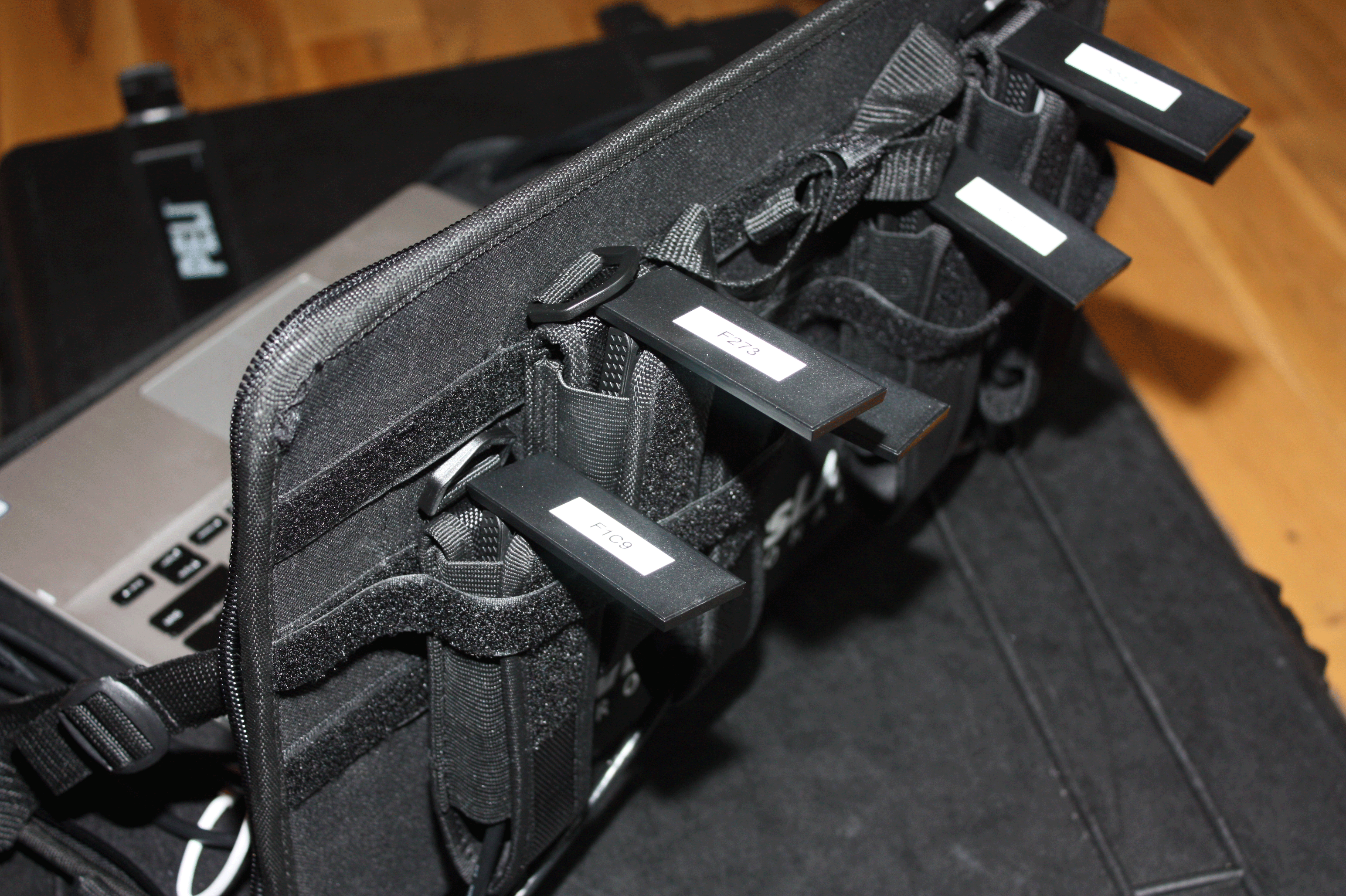
Multiple adaptors, each dedicated to certain Wi-Fi channels, are connected to a high-performance laptop through a high-speed interface. The picture above shows a Wi-Fi survey tray that can be carried around on straps during testing, with six separate adaptors (staggered to keep them apart), to capture traffic on six separate channels. We use dedicated protocol analysis software with special drivers that allows us to do this.
This is invaluable for capturing all events on different channels, especially roams between devices as they cross between an AP on one channel to an AP on another channel.
Our dedicated software also includes an 'expert system' to identify, highlight and comment on events seen in the Wi-Fi protocol.
Protocol Analysis During the Design Process
One example of this is when we are trying to work out the capabilities and compatibilities between client devices and APs early in the design process.This information is displayed in AP beacons, the probe messages between APs and client devices, and when a client device associates with an AP.
Another example of when more detail is required is when we check the effective limiting speed of your network/devices, of which spatial streams are an important part. More information about this can be found in our detailed article on the subject How Client Devices Limit Your Wi-Fi Performance.
Yet another example, is when we are observing actual roaming decisions and observing the conditions that are driving those decisions so we can configure the Wi-Fi network to work the way we need it to.
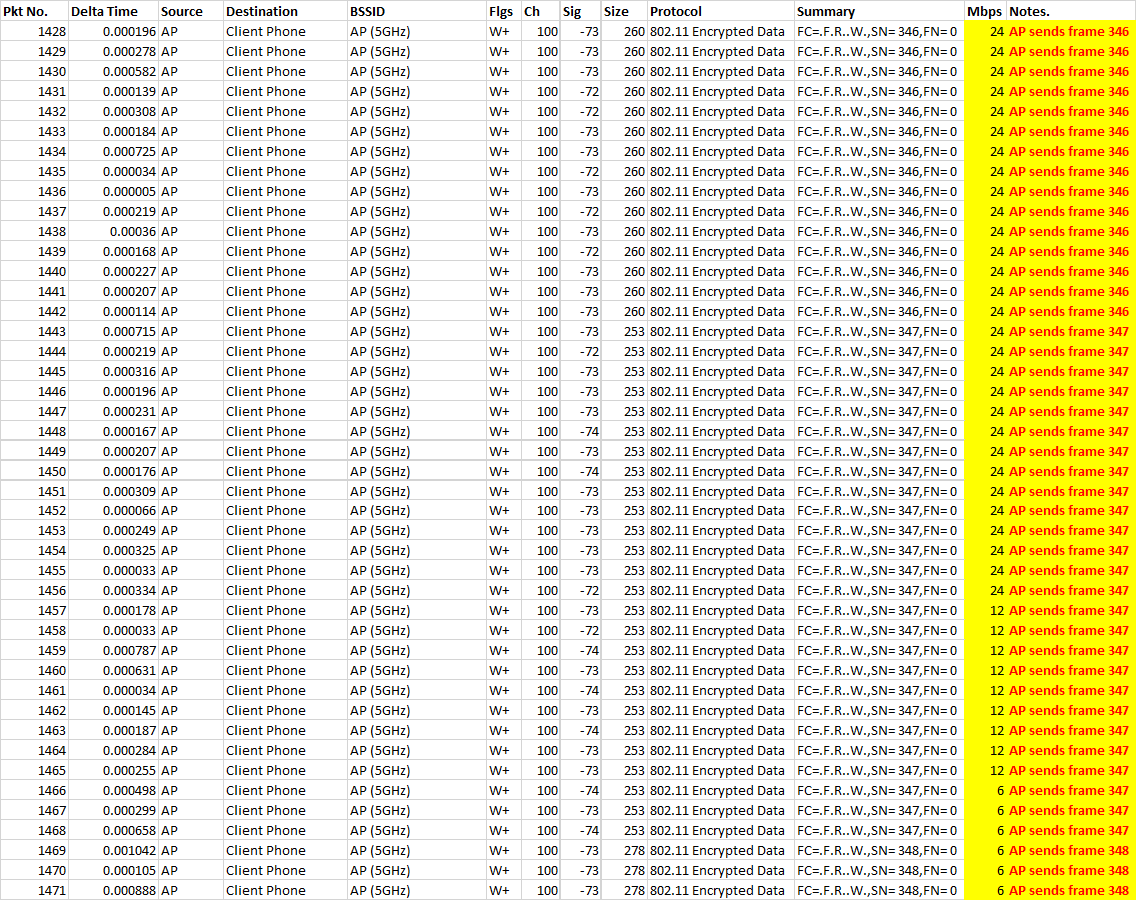
Roaming decisions also affect throughput performance. In this example, an AP set to high power prevent clients from roaming to their nearest AP, so the AP may not be able to receive acknowledgements from a distant client, or the distant client is unable to receive high-speed messages from the AP. In both cases the AP will retransmit messages until it receives an acknowledgment, reducing the speed of messages to ensure that they are received by the client. Both retransmitting frames, and sending them at lower and lower speeds consumes more and more valuable airtime, and limits the performance of the Wi-Fi network (see the graphic below).
Recognising the causing of performance problems early in the design process ensures that the Wi-Fi network is designed properly and performs as well as possible.
Protocol Analysis During Troubleshooting
Protocol analysis is also invaluable for diagnosing problems. The following two examples are of actual problems with APs, that were later fixed after firmware upgrades.
In the first example, a client device is trying to associate with a network. PC under tests sents an auth request to the AP under test, and the AP under test sends an acknowledgement response. The AP should then send an auth response back to confirm the connection, but it does not, because of a software bug, (causing the address database for new client devices to become full).

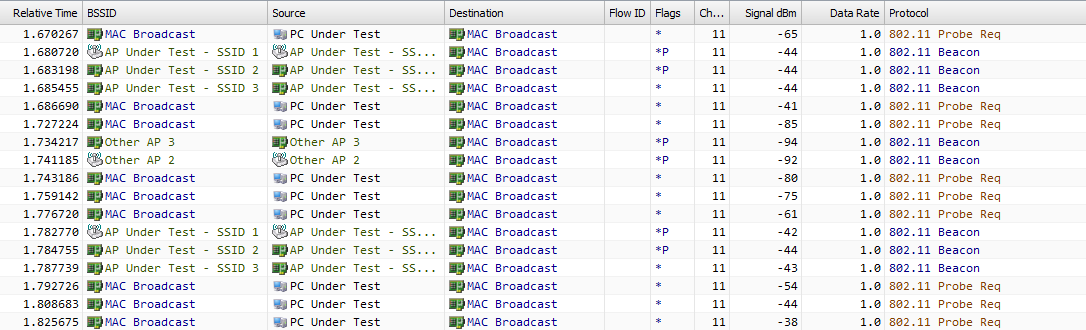
In the second example, an AP should respond to a Probe Request with a Probe Response, but it never does. It transpired that this was another symptom of the same software bug. But it was only because we had this detailed information, that the vendor support desk were able to recognise the problem and provide a speedy resolution.
Being able to do this sort of detailed protocol analysis is invaluable to understand what is happening with your Wi-Fi network, to ensure problem-free design and to fix problems quickly.